
AI tools have gone from a novelty to something a lot of businesses use every day, and sign companies are no exception. None of it changes what actually makes a sign work — accurate specs, code-compliant construction, and a manufacturer that gets the production file right — but it can speed up a lot of what happens around the sign, from the first client conversation to the quote that gets it into production. Here's where it actually helps, and how to prompt it so the output is worth using.
Faster Client Mock-Ups
Showing a client what a proposed sign will actually look like on their building used to mean either a rough sketch or a wait for a formal rendering. AI image tools can now generate a reasonable mock-up of a sign concept on a storefront photo in minutes, which is useful for early buy-in before anyone commits real design or engineering time. Treat it as a concept aid, not a substitute for the shop drawings a project actually needs before it can be quoted or built — the mock-up gets the client excited, but the real drawing is what goes to production.
A Starting Point for Rough Artwork
A prospective client's logo file is often a low-resolution screenshot, an old business card scan, or a JPEG pulled off their own website. AI-assisted tools can help clean that up — removing a background, sharpening a shaky image, or roughing out a vector starting point — faster than doing it by hand from scratch. That said, it's still a draft. Production-ready vector artwork (AI, EPS, PDF, SVG, or CDR) is what a wholesale manufacturer actually needs before a job can go into fabrication, so an AI-cleaned file should go to a designer for a proper vector redraw, not straight to a purchase order.
A First Read on Code Questions — Never the Last Word
AI chat tools can give a reasonably quick first read on general sign-code concepts for a jurisdiction — setback rules, size limits, illumination restrictions — which is useful for scoping a project before a formal permit review. It should never be treated as the final word. Code details vary by city and change over time, and the only reliable confirmation is the local Authority Having Jurisdiction — the same standard we hold our own certification and code-research work to before a project goes into production.
Turning Finished Installs Into Marketing
Once a sign is up, AI tools can help turn the finished project into content faster — a social caption, a short case-study write-up, a before-and-after post — without eating into the time it takes to chase the next job. The photos and the results still have to be real; AI just speeds up getting them in front of the next prospective client.
Why the Prompt Matters as Much as the Tool
Everything above depends on giving AI enough to work with. A vague prompt gets a vague, unreliable answer — one that guesses at a price, a code requirement, or a dimension instead of flagging that it's missing. A useful prompt has five parts: a role (sales coordinator, estimator, production planner, copy editor), the job details (sign type, dimensions, materials, illumination, location, quantity, deadline), the actual source material (the customer's email, drawings, or specs — not a paraphrase), the task stated exactly, and explicit limits telling it to flag missing information rather than guess at prices, code requirements, or engineering details.
Prompts Worth Trying
Turn an inquiry into a quote checklist
Act as a sign shop sales coordinator. Review the customer inquiry below for a [sign type]. Extract the specifications provided, list everything needed before we can quote accurately, and draft a short reply asking the customer for the missing information. Separate confirmed facts from assumptions. Do not invent dimensions, materials, prices, lead times, or electrical requirements.
Customer inquiry: [paste inquiry]
Prepare a production handoff
Act as a production coordinator. Using the approved quote and drawings below, create a handoff checklist covering dimensions, materials, finishes, illumination, mounting, electrical details, packaging, and delivery. Flag any contradiction between the quote and drawings. Do not resolve a contradiction by guessing.
Approved quote: [paste] Drawing notes: [paste]
Explain sign options to a customer
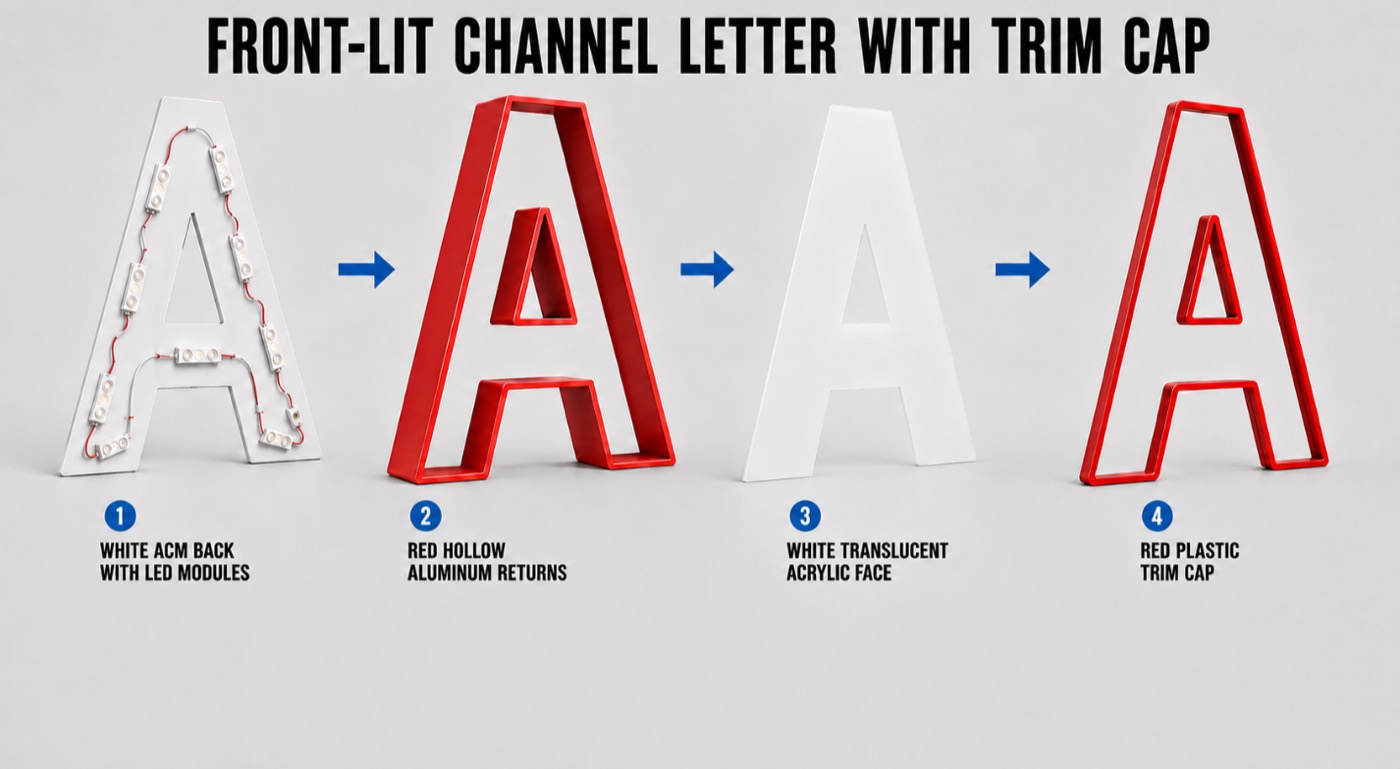
Explain the differences between front-lit, reverse halo-lit, and front-and-back-lit channel letters for a customer choosing a storefront sign. Use plain language and a comparison table covering appearance, installation considerations, and information needed for a quote. Do not claim that one option meets local code or landlord requirements without verification.
Draft a customer proposal
Write a professional proposal summary for the sign project described below. Explain the recommended construction, appearance, and next steps. Use only the confirmed details supplied. Put unresolved specifications under a heading called "Items to confirm." Do not add a warranty, certification, completion date, or performance claim unless it appears in the supplied information.
Project details: [paste confirmed details]
Review marketing copy
Review this sign product description for unclear wording, unsupported claims, and questions a buyer would still have. Then rewrite it in clear US English. Preserve the verified specifications and flag any claim that needs evidence before publication.
Product description: [paste copy]
The Rule for Every Prompt
AI prepares the first draft. Your estimator, designer, or production lead verifies the measurements, pricing, structural details, electrical work, certifications, and the final customer commitment. Nothing above changes what a sign company is actually hired to do — read the site accurately, spec the right materials and illumination, navigate the local code and permit process, and deliver a sign that holds up. AI can speed up the concepts, the communication, and the marketing around that work. It doesn't replace the production-ready artwork, the certified electrical construction, or the manufacturing partner responsible for getting the physical sign right.
We manufacture wholesale channel letters and custom signs to production-ready artwork and specifications for sign companies across the United States and Canada — the verified details this article keeps pointing back to. Request a quote once the specifics are confirmed.
AI for Sign Professionals FAQ
Can AI generate the final production drawings for a sign?
No. AI can help draft a first-pass concept mock-up or a production handoff checklist, but production-ready vector artwork and shop drawings still need a designer or estimator to review and finalize before anything goes into fabrication.
What's the safest way to prompt AI for a sign quote or proposal?
Give it a role, the job details, the actual source material (the customer's inquiry, drawings, or specs), the exact task, and explicit limits telling it not to guess prices, code requirements, or engineering details. Then have an estimator or production lead verify the output before it goes anywhere near a customer.
Should AI be used to confirm code or permit requirements for a sign?
No. Treat AI's read on code questions as a starting point for scoping a project, never as confirmation. The only reliable answer comes from the local Authority Having Jurisdiction, checked before quoting or fabricating.